The best of mobile printing

Choose a photo, take a photo, print a photo. The Photolab’s mobile site makes it just that simple.

Choose a photo, take a photo, print a photo.

Mobile phones seem to have replaced the computer as people’s go-to technology. It used to be that you had to first upload your images from your camera to your computer, and then order prints (side note: I can hear myself beginning to sound like my Dad, my Uncle, and every other old guy in my family who seems to start every sentence with “it used to be…”). However, thanks mostly to flash memory and ‘the cloud’, people don’t need to bother storing their photos on a computer hard drive. So shouldn’t you also be able to order prints directly from your mobile device?

Well, now you can. In fact, the Photolab offers two ways to print your favourite photos directly from your mobile device:

Order Online

Featuring the same-day service, shipping and pickup options available through your computer. Because it’s the exact same Photolab site, only optimized for your mobile dealie.

  1. Open your favourite browser on your mobile device and go to londondrugs.com.com/photolab
  2. Browse the Photolab’s great selection of products.
  3. Click GET STARTED
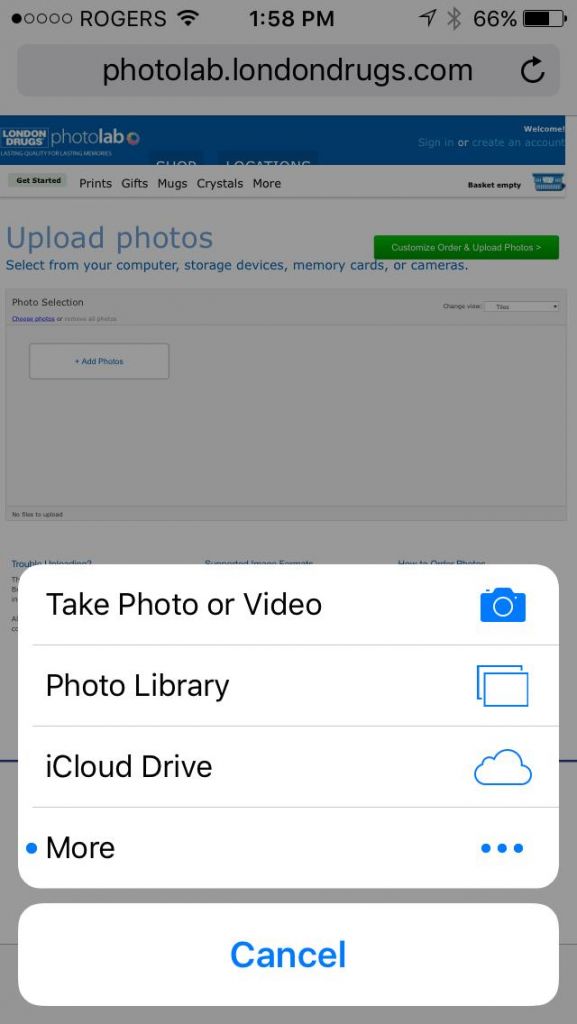
  4. Choose the photos from your mobile device by selecting your device
  5. Order your products and pick-up in-store or have them delivered.

Order in-store at Photolab kiosks with a cable
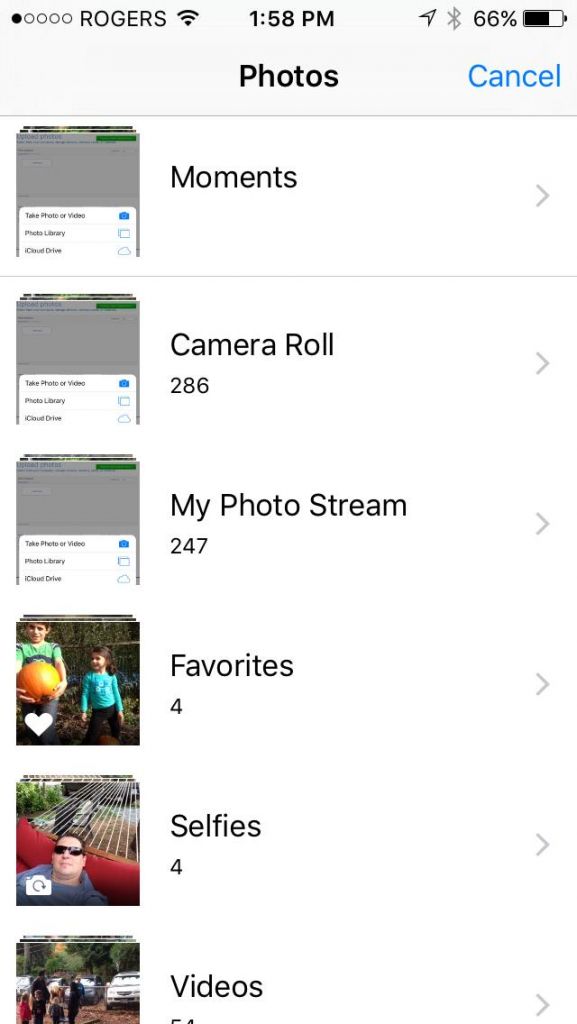
mobile2

The Photolab’s mobile site makes it just that simple.


By connecting to the Photolab’s in-store kiosks, you can do things like make edits to your photos and order bulk images (100 prints or more at a time).

  1. Plug in your mobile device directly into our in-store Photolab kiosks.
  2. View and edit your photos on the monitor. Use the enlarge and crop tool to edit the photos just the way you like them!

These two options make ordering prints as simple as any of the thousands of other types of mobile shopping. Now, anywhere there’s internet connectivity, there’s a Photolab to serve you.

New games for November

The Holiday Season is coming! That means a lot of new  games are coming out in November!  Let’s take a closer look!

November 3rd

anno

Anno 2205 is the latest entry in the long running and critically acclaimed strategy series.  Once again moving into the future you must conquer the Earth and mine the moon for resources while maintaining a working society!

Anno 2205 will be available for PC but not any consoles.

Order Anno 2205 Here

READ MORE

Your first DSLR camera

Maybe it was your love of posting stuff on social media. Or perhaps it was having your smartphone camera handy and at the ready at all times. Whatever the reason, you have officially become a photo-snapping, Photoblog-reading photography buff. And now that you’ve admitted this (or at least allowed me to admit it on your behalf), perhaps it’s time to do what everyone does as soon as they upgrade their photography interest from just another thing into a full-on passion: invest in a digital single-lens reflex (DSLR) camera.

nikon

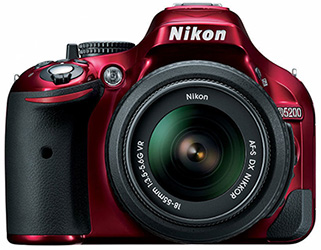
You may be a beginner, but the super-sweet Nikon D5200 will have you looking (and shooting) like a pro

Purchasing your first-ever DSLR camera can be a daunting experience. Even the cheapest ones will run you a few hundred dollars, and the selection and number of different features available between different brands and models ranges somewhere between innumerable and infinite. That’s why—particularly for first-time buyers—I definitely recommend speaking to someone who is both knowledgeable enough to answer all the questions you should have when making such a purchase and respectful enough to understand how overwhelming such a first-time purchase can be. The good news is that you’ll find plenty of such people at your local London Drugs Camera Department.

In researching this post I was fortunate enough to speak with Ashley at the Georgia & Granville location. Not only did she make the process 100% less intimidating, but she could also immediately recommend a number of entry-level models from both Nikon and Canon that each featured different ways of addressing a number of needs that the newbie may have.

Ashley’s first recommends were Nikon models: specifically the D3300, D5200 and the D5500. Each of these comes standard with a helpful ‘Guide Mode’ that helps you select the best settings for the kind of image you want to capture. Best of all, at the bottom of each menu is a ‘?’ icon that provides a definition of each option in the menu. It’s basically like having a built-in manual right there on-screen.

Ashley also recommended the Canon T5 and T5i, suited for beginner to mid-level photographers. She noted that, while these didn’t offer on-screen features like the Nikon models, their lower price point (at least at regular price) made them a good choice for beginners to wet their feet. She then pointed out that many locations also offer workshops for novice photographers to learn the basics of DSLR photography—free with any London Drugs camera purchase. Check with your local London Drugs to see where they are offered in your area.

Whether it’s for yourself or as a gift for someone this holiday season, if you do your research and buy from a knowledgeable seller who’s focused on your needs, your first DSLR will be something you always remember fondly. A word of warning, however: as your skills improve, DSLR photography can become downright addictive. Your first camera may soon have you looking for your first lens, flash, maybe even your first studio kit. Don’t worry though—no matter how consumed you become, the LD Camera Dept. will always be there with friendly, helpful advice.

Metallic Silver Prints

We’ve mentioned metallic silver prints here on the Photoblog, but unlike the other kinds of photo prints, we’ve never given them their very own feature post. I’m not sure why this oversight has continued to occur, but it’s an injustice that must end today! After all, they are certainly no less impressive than the Photolab’s other fine art prints.

Metallic silver paper has a fine surface, with a scratch-resistant high-gloss metallic finish that allows for exceptional image clarity and brilliant colour reproduction. The paper has tiny metallic grains in it that reflect the light in each colour differently. This means that no two colours will pop in the same way, and the contrast between colours really stands out. The Photolab technician I spoke to also mentioned that the metallic silver prints would work incredibly well on a black-and-white photo.

metallic

My iPhone photo of the metallic silver print sample from the Photolab sample book. On your screen, it looks like any other photo. You can’t see the incredible vibrancy, colour reproduction or unique look of the paper – which is why you need to see it for yourself at your local Photolab.

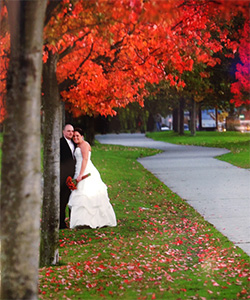
Metallic silver paper also really accentuates the depth of field, because it gives the image a very three-dimensional quality. You can especially notice this when you compare it to a standard glossy print. The Photolab’s sample print (shown below) does an excellent job demonstrating the paper’s particular advantages:

The row of trees that disappear into the horizon line really showcases the 3D effect, while the red leaves on the ground are quite striking set against the green of the lawn.

There are many different gradients of red in the leaves on the trees, and they all burst in different ways.

The paper even makes the grey pathway more vibrant, and the bride’s white dress absolutely shimmers.

The clarity, definition and visual effects these prints provide make them incredibly engaging to look at on a wall. However, you won’t notice these things on your screen, which is why I highly recommend checking out the sample with your own eyes at your local Photolab.

So…how about those holiday cards?

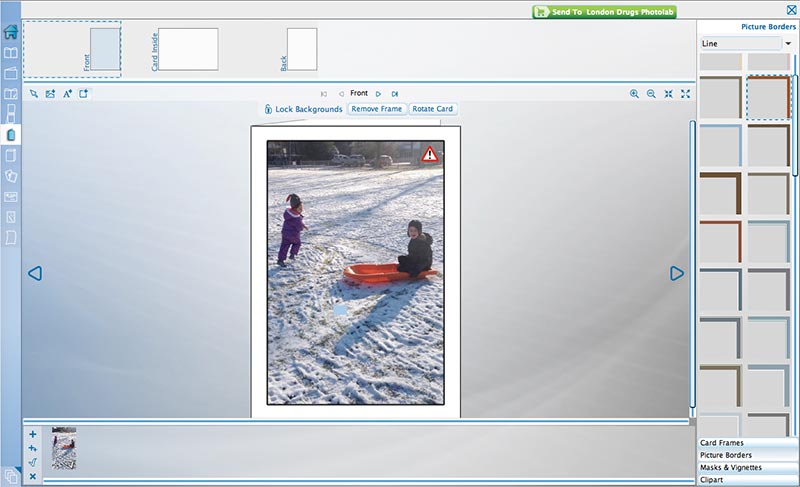
photolab-home-software

Leisurely creating your holiday cards using Photolab Home Edition Software is a great post-Thanksgiving dinner activity.

October is upon us. The air has turned crisp, the leaves they are a-changing, and pumpkins are appearing on doorsteps all over the neighbourhood. It can all mean only one thing:

It’s time to start thinking about your holiday cards.

Seriously. Holiday cards are the kind of thing that can totally sneak up on you, so that the day of the December postal deadline you’re scrambling to get them printed. Sure, the Photolab can have the cards ready within one hour, but do you really want to add to your impending holiday stress by leaving it so late?

READ MORE

Fall With a Flash

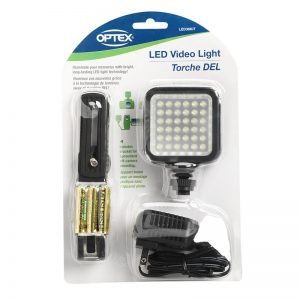
If you’re curious about external lighting but don’t want to spend hundreds of dollars, less expensive LED systems like this one from Optex are a good place to start.

If you’re curious about external lighting but don’t want to spend hundreds of dollars, less expensive LED systems like this one from Optex are a good place to start.

Let’s start with the obvious: fall is not summer. It starts getting darker, sooner. Skies tend to be more cloudy. The food you eat in fall is usually different as well. And you certainly don’t dress the same for fall as you do for summer. So why, may I ask, are you taking pictures in fall the exact same way you took them in summer?

Part of being a strong, well-rounded photographer is adjusting your techniques and tools to get the most out of your shots in any season. As mentioned, days are shorter in fall so there’s less natural light to work with, plus it gets colder so we tend to do more things indoors. Such circumstances often result in dimmer, more gloomy-looking photos, which is why it’s up to you to light your shots with external lighting such as a flash.

READ MORE

6 Tips to Get and Share Great Shots on Instagram

skyfilter

Want to post great shots like this on Instagram? We’ve got the tips you need.

Whether you’re new to Instagram or consider yourself fairly experienced, there are many ways to improve your shots. Start with one, or all, of these six tips to improve your staging, cropping, alignment, filtering, use of IG sliders, and hashtagging. You’ll be an Instagram pro in no time.

READ MORE

« Previous Page Next Page »