5 Must-Have Tech for First Year University Students

The back to school season has a different ring to it this September for university and college students—especially during their first year. It’s so long high school, hello lecture hall! Exams will be much more difficult (uh oh), but it’s also the beginning of amazing adventures, new friendships, and life-long memories.

Whether you’re a student living on campus in a dorm room or commuting to early morning study sessions, it’s always smart to be equipped with tech that has your back. From note-taking to playlist-making, we’ve gathered the top five gadgets for first-year university students.


Apple iPad with WiFi and Apple Pencil

Apple Pencil Apple iPad London Drugs Back to School

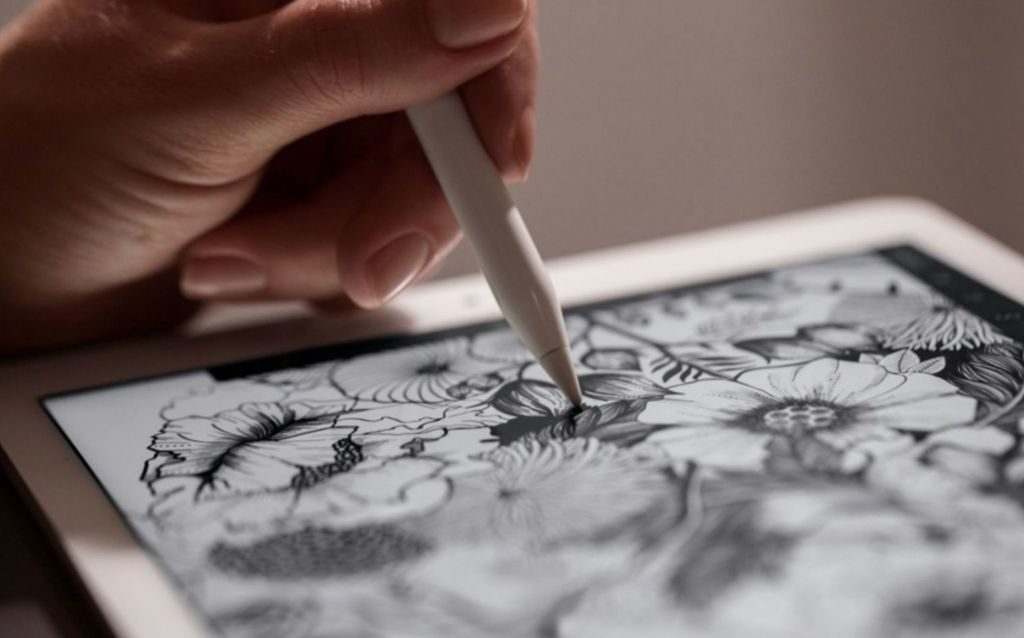
Create, learn, work and play like never before with the Apple iPad with WiFi. This version has all-day battery, so it will stay powered up during every long lecture. The immersive 9.7-inch Multi-Touch Retina display now has Apple Pencil capability—you can take notes, annotate, or sketch with virtually no delay!

HP Sprocket Portable ZINK Photo Printer

HP Sprocket Back to School Tech London Drugs

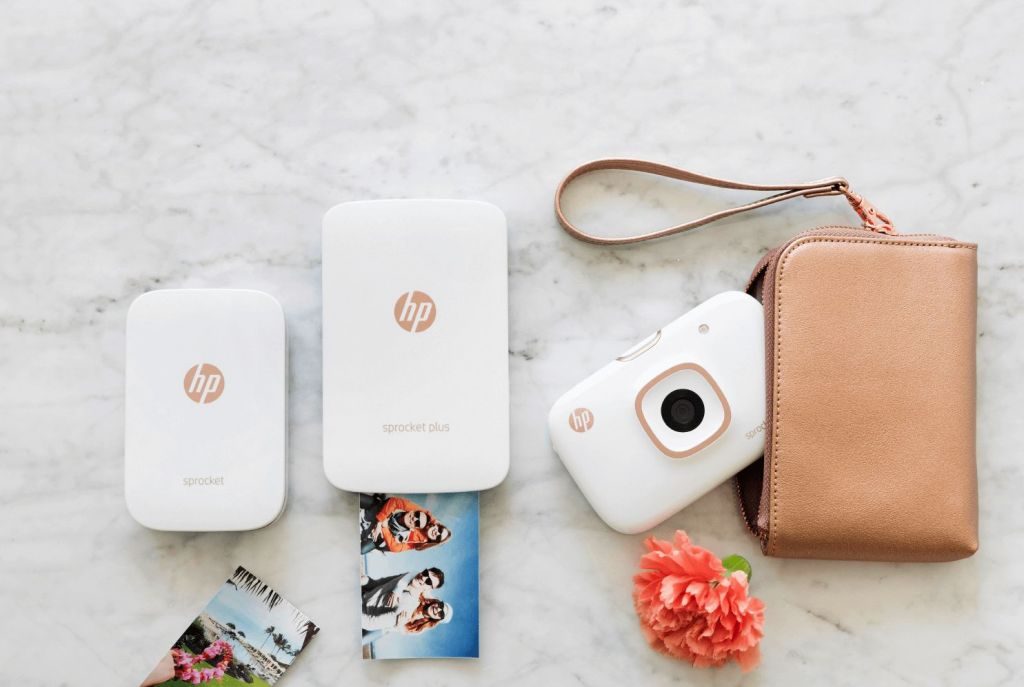
As a first-year, you’ll be experiencing campus life and making so many memories at college and university! Make sure all those photos don’t just stay on your phone—print them out with the HP Sprocket portable printer. Post them up in your dorm or share them with Mom and Dad back home (you know they’ll love them).

JVC Flats Wireless Headphones

JVC Flats Headphones London Drugs Back to School Tech

Music can be the best way to create soothing background noise as you study—or pump you up for a run to clear your head before exam day! The bluetooth-enabled JVC Flats are fashionable, lightweight headphones that have 11 hours of listening time. Choose pink, blue, black or grey, depending on your personal style.

Logiix Qi Wireless Charger and Stand

Logiix Qi Wireless Charger and Stand London Drugs Back to School

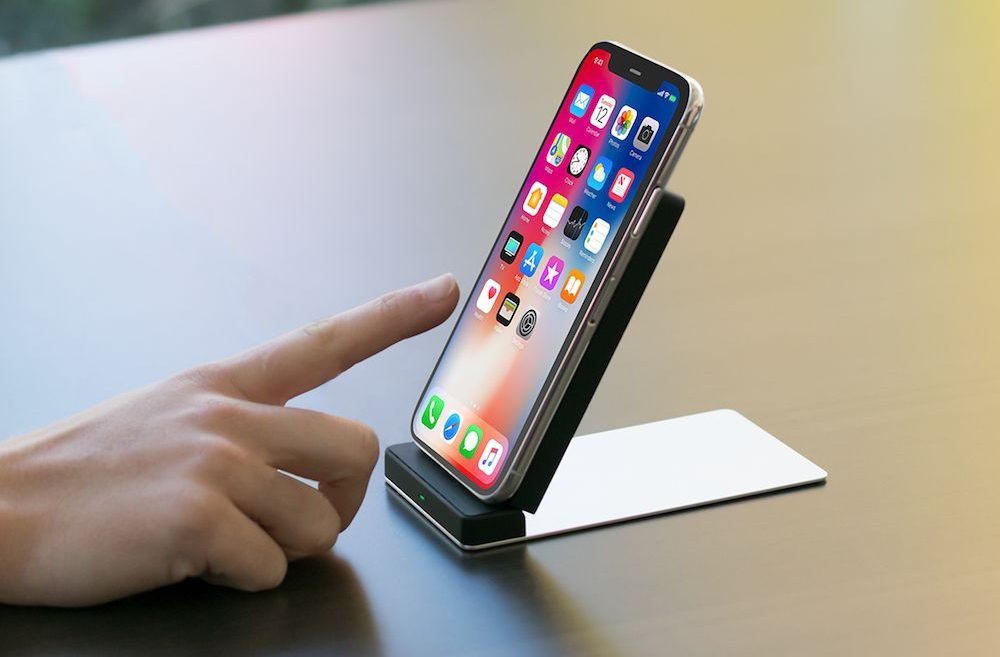
As a student, it’s always nice to have tech that makes your life easier. Just place your Android or iPhone X on the Logiix QI wireless charging stand to charge wirelessly from anywhere. At a fast 10W speed, too! Now, you won’t have to go digging for a cord in your backpack anymore.

Nintendo Switch

Nintendo Switch London Drugs Back to School Tech

After cramming for tests, sometimes it’s nice to chill out and play a few games. The Nintendo Switch is designed to go wherever you do, transforming from home console to portable system in a snap. If you’re not at home or at your dorm, take your game with you in handheld mode—even to study hall for a quick brain break!


Head to London Drugs in-store or online to find everything you need for back to school tech! Our LD Experts would love to help.

Home Automation Tips That Will Keep You Safe, Comfortable and Entertained

With your hectic lifestyle, wouldn’t it be nice to have a little extra help at home? You can take control with smart home technology that keeps your home secure and your family safe, comfortable and entertained. We’ve got tips to help you experience all the benefits of home automation with a diverse selection of innovative smart home solutions that you can easily find online or in store.

Safety and Security

Imagine being able to know who’s at the door even when you’re miles from home or having the ability to check in on your pets and kids anytime, from anywhere. Smart home monitoring systems can give you true peace of mind and discourage intruders, helping to protect your family and your property. We offer a wide range of home monitoring products, from video doorbells to security cameras to complete safety systems. Once easily installed, these smart home monitoring solutions can be controlled with just a few taps on your smartphone or tablet.

Shop for more Safety and Security products here.

Comfort and Convenience

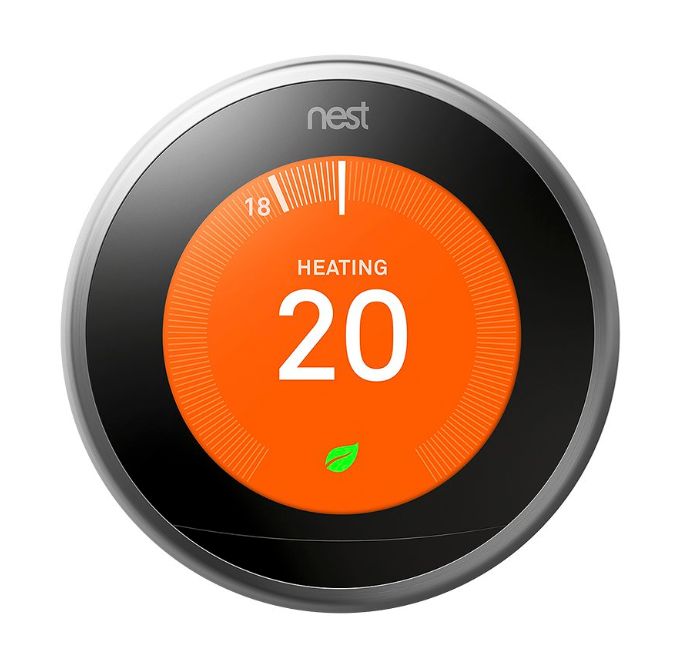
Home automation can even help make your environment feel more comfortable. Smart thermostats give you more control over your heating and cooling system, helping you reduce your energy consumption while keeping the temperature exactly where you want it. Smart lighting products brighten every room and can be operated remotely, so you’ll never have to return to a dark house or get out of bed to switch off that light you left on. Smart power outlets give you the ability to remotely control power to small appliances and electronics in your home, even if they’re not smart devices themselves.

Shop for more Comfort and Connivence products here.

Smart Entertainment

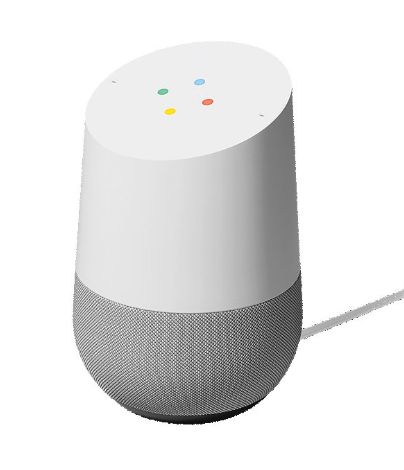
Smart home technology isn’t purely for the practical; home automation can also mean more fun for your family. Today’s smart speaker systems, like Google Home, let you live life to your own soundtrack with music that can be enjoyed anywhere in your home. These speakers also act as your personal assistant that can help you stay organized by giving you reminders, tracking your to-do lists and providing answers to questions like, “What’s the weather going to be like today?” or “What I can make with that leftover chicken in the fridge?”

Shop for more Smart Enterntainment products here.

Connect Your Whole Home

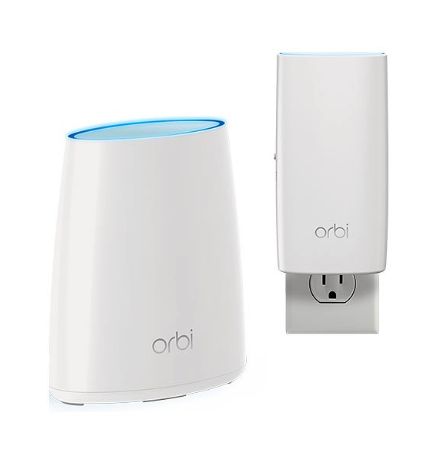
If you want to connect the devices in your home, you’re going to need to connect to the internet. Any old modem just won’t do if you want the ease of home automation – you’re going to need some more horsepower to get all of your gadgets onto the information super-highway. Enjoy Wi-Fi throughout your home, on all your devices with a solution that works with your modem and Internet Provider, so you can stream, download and share without missing a beat.

Shop for more Network and Internet products here.


You don’t have to be a technical wizard to live in a smarter home. As experts in smart home products, the team at London Drugs can make connecting your home simple. Let us help you select products that make your home a more safe, comfortable and enjoyable place to relax at the end of the day. Shop London Drugs online or in store for smart home products today!

Nikon press release

Nikon Announces development of next generation full-frame mirrorless camera and nikkor lenses – featuring a new mount – that pursue a new dimension in optical performance.

MISSISSAUGA, ON –

Nikon Canada Inc. is pleased to announce the development of a next-generation full-frame (Nikon FX-format) mirrorless camera and NIKKOR lenses featuring a new mount.

The new mirrorless camera and NIKKOR lenses that are in development will enable a new dimension in optical performance with the adoption of a new mount. The system is the result of Nikon’s unsurpassed optical and manufacturing capabilities gained through more than a century of imaging expertise. Proven reliability and trusted performance are core traits of Nikon Digital-SLRs, and decades of feedback from professional creators around the world has further contributed to the development of this system.

Through the development of this new mirrorless camera, Nikon reaffirms our commitment to providing photographers with the ability to capture images that are richer and more vivid than ever before.

Additionally, an F-Mount adapter is being developed that will enable the use of a wide variety of F-Mount NIKKOR lenses with the new camera.

Nikon will continue to lead imaging innovation with the launch of the new mirrorless camera and the continued development of Nikon Digital-SLR cameras as well as the impressive NIKKOR lens lineup. Soon, Nikon users will have two industry-leading camera systems to choose from, giving consumers the choice to enjoy the unique values that each system offers.

Content relating to this product is available for viewing at the following URL: http://www.nikon.ca/mirrorlessiscoming. Please stay tuned for more information.

Details, including the release date and suggested retail prices, will be shared at a later date.

How to Observe and Photograph Mars in Opposition

Mars Opposition July 27 London Drugs Blog

Summer is here and the days are long… but the nights are short! For someone like me who enjoys the night sky, this time of year is a mixed blessing. Warm and pleasant evenings (between mosquito attacks) but a very short window to actually see some dark skies—usually less than a couple of hours in the middle of the night.

This summer however we have three very bright objects that are visible in even a bright and light-polluted sky. They are the planets Venus, Jupiter and MarsVenus is the very bright light that is straight west and easily visible about 20 minutes after sunset.

After you have spotted Venus, turn your gaze to the south and the brightest object you will see is the planet Jupiter. If you are in an area of dark skies and have let your eyes get used to the
dark (which takes about 20 minutes) point a pair of binoculars to Jupiter and you will have a good chance to see up to four of its moons as well! Io, Callisto, Europa and Ganymede will appear as
pinpoint objects flanking the giant planet. Their positions change daily as they orbit Jupiter.

The best type of binoculars for this kind of viewing would be in the 10×50 range like Nikon Aculons. They offer a good magnification that can still be handheld along with great light gathering capability at an affordable price. Add an optional tripod mount to attach them to your tripod and you will even be able to easily share the view with friends and family!

The real “star” this summer is the planet Mars

On the evening of July 27 Mars will be in opposition to Earth. What that means is the orbits of the Sun, Earth and Mars will form a straight line that night. As the Sun sets in the west Mars will rise in the east. It will also appear to be much brighter than usual as it is making a closer than normal approach to the Earth. This is the closest our planets have been together since 2003.

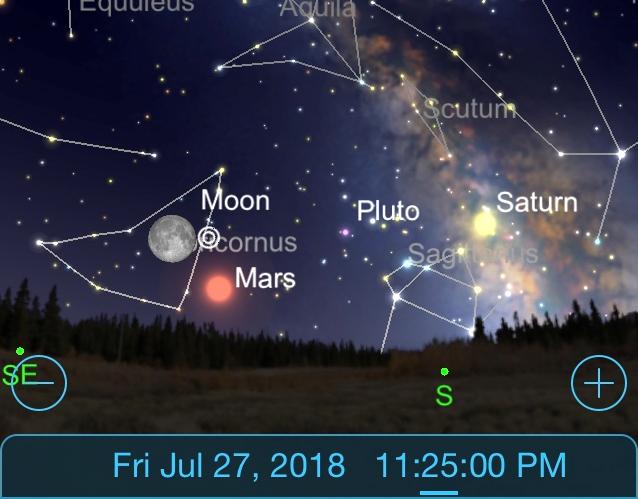
On that evening you will see quite a grouping of objects. The illustration shows what the sky will look like around 11:30 pm. Left to right, you will see a nearly full Moon with Mars to the bottom right of it. Scan further to the right to you will see the planet Saturn right in the heart of the Milky Way.

The best way to view the event

For best results in viewing this event, if possible, get away from the city. The city lights do an amazing job lighting up the town but they play havoc with being able to enjoy the sky. Although the moon and these two planets can be seen in most urban environments, the view is much better and you will see many more stars the further away from town you can get.

Viewing with the naked eye, you will be seeing a good overall view of the event. If you look carefully you have a good chance to see that Mars is actually a redder looking object than the surrounding stars. The best way to do this is to use a technique called “averted vision.” Instead of looking directly at Mars, centre your vision just to the right of it and use your peripheral vision to view the planet. This area of the eye is a bit more sensitive and will give you a better chance of seeing the colour.

A good pair of binoculars, like these Nikon 10x50s, will show you the planet more as a small disc and will also help bring out the red colouring. With a telescope you will get an even better view. Depending on the atmospheric conditions (the less the surrounding stars “twinkle” the better the conditions are) and the quality and magnification of the telescope, you may also be able to see some areas of the planet will appear darker and lighter.

Note: no matter what you use to look at Mars, do not expect to see a “text book” quality view of the planet. You will need far more advanced equipment than this to enjoy that kind of view.

How to photograph the red planet

The note I just gave you also applies to photographing the planet. The more detailed shot you want, the more advanced the equipment and technique you will need. What you will need though is a DSLR or mirrorless camera and a good tripod. My goal for capturing the opposition is to get a couple of images.

Mars Opposition Earth Star July 2018 London Drugs Blog

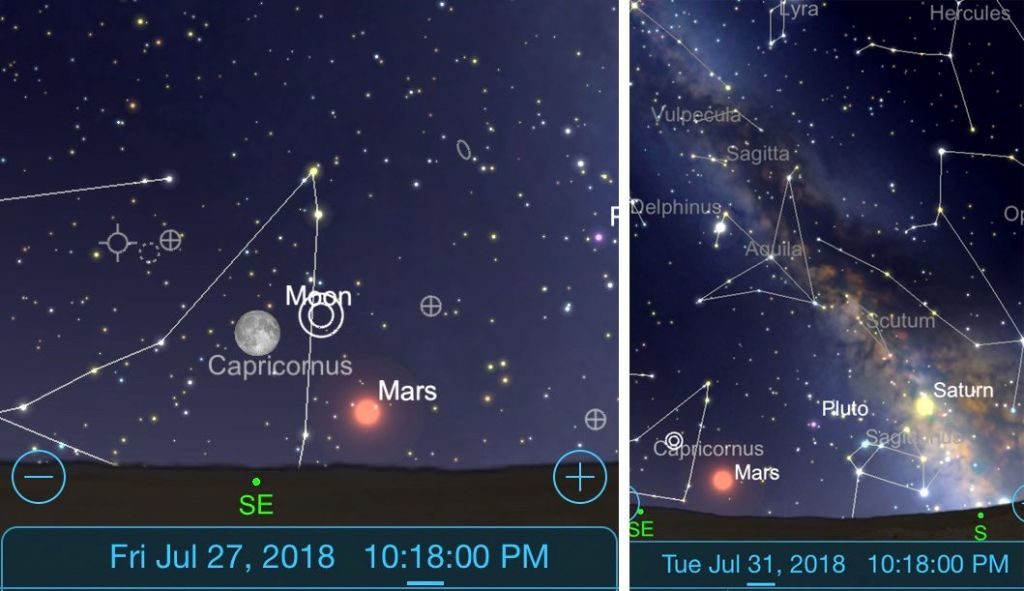
For the first one, on July 27 about an hour after sunset Mars will rise in the SE sky with the moon above and to the left of it.

  1. I plan to shoot from a location where I can have an interesting foreground on the horizon (an old barn or farmhouse, that sort of thing).
  2. I will shoot with a moderate telephoto lens (my Fujifilm 50-140 f2.8) tripod mounted and adjust aperture and ISO in order to achieve a shutter speed in the range of 1/30th sec. or so.
  3. I will adjust the framing to be able to include the Moon, Mars and the foreground in the image and bracket exposures (a series of separate images that will gradually over and under expose the shot). From those images I will hopefully have one that I will be happy with.

For the second image, I will wait until the evening of July 31. This is just past the opposition but Mars will still be very bright. What will be missing though for the first part of the night is the Moon. I want to avoid the moon in order to be able to better capture more stars. The brightness of the moon will easily wash them out.

  1. About 90 minutes after sunset, when away from city lights, there will be a good view of Mars, Saturn and the Milky Way in the southern sky. For this I will be using a wide angle lens (my Fujifilm 10-20 f4) tripod mounted and shoot a strong vertical composition capturing those three objects in the same frame. This will also be done in a location with an interesting foreground.
  2. Exposure times will depend on the brightness of the sky but I anticipate shooting 5 sec. to 30 sec. exposures in five second increments to best capture the shot. ISO will be set at 3200. I should then have a good record of the Mars Opposition of 2018, an event that won’t occur again for about 15 years.

Remember, there is a big, beautiful sky out there and there is always something interesting to capture with your camera. Take the time to head out where the world is dark, the sky is clear and the memories are just waiting to be made and captured.


Written by Tim Y, an LD Expert from Saskatoon. Tim has been a photographer for over 40 years, an #LDExpert for over 30 years, and an astrophotographer for five.

How to Clean Up Your Computer Inside and Out

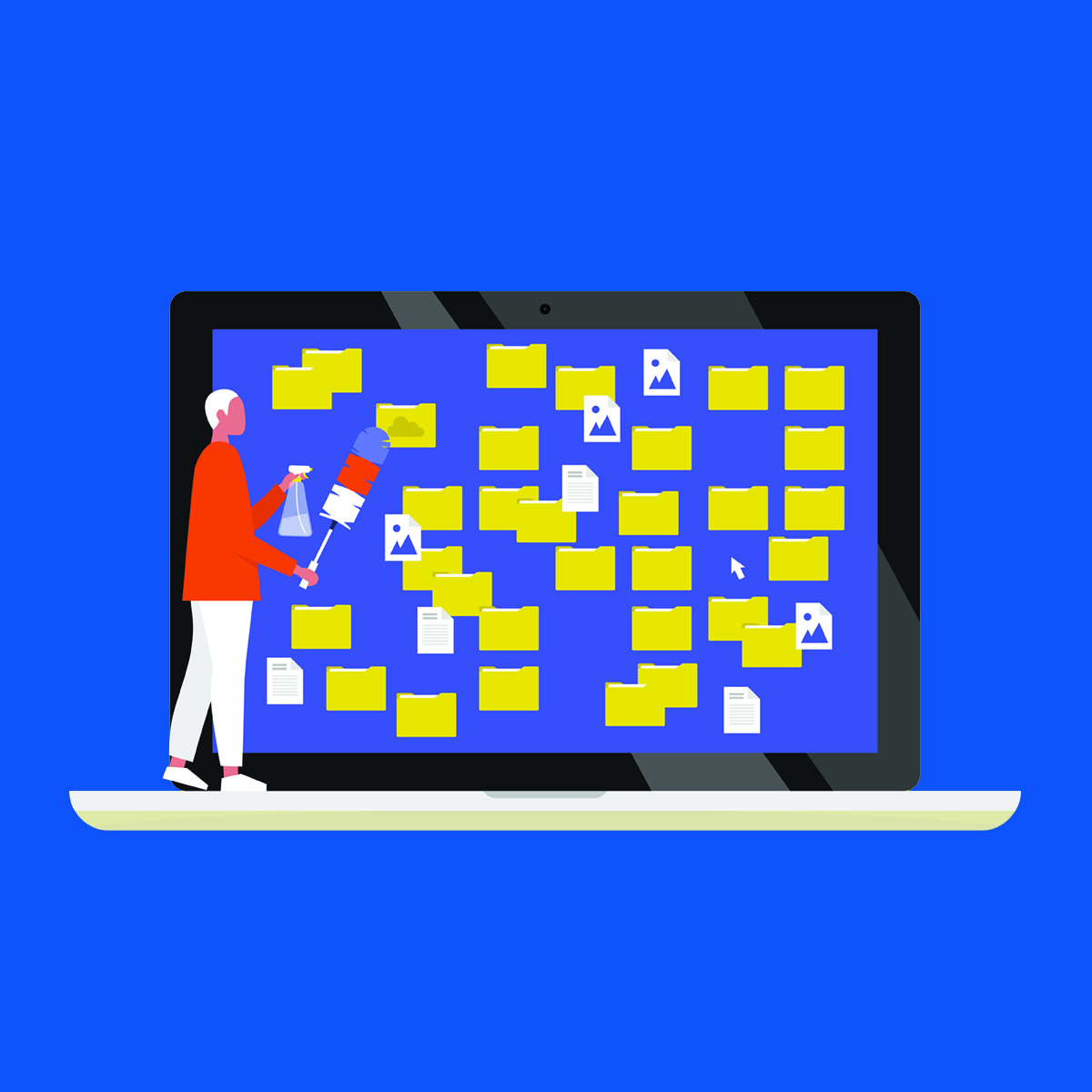
Throughout the year, we usually take the time to tidy our cupboards, closets, dressers, drawers and more. The mess has to be tackled at some point! With spring cleaning almost here, remember to factor in your  computer cleaning too! We’re talking inside (in the digital sense, of course) and out, including both those cluttered files and that physical grime. (Don’t forget to do the same with your phone! Learn how here.)

Cleaning Inside Your Computer

1. Delete, back-up, and update files

The first step in digital spring cleaning is going through all your software and data files, keeping only what you need and use. Remember Marie Kondo’s wisdom from The Life-Changing Magic of Tidying Up: unless you love it, lose it. One option for tidying away large but important files, like family photos, is to store them on an external hard drive. You can also back files up on “the cloud,” which is really just a hard drive in another location. For this, consider using iCloud, Google Drive, or a similar service.

Stop ignoring those pesky operating system and software update requests! And don’t forget empty the trash. On your desktop, that is.

2. Clear cookies, caches, and spyware

Slightly trickier than removing unnecessary or excess files you’ve added yourself, is eliminating those added by others. This includes tracking software like cookies and spyware. Don’t worry, there are easy ways to clear it all. Possibly the best approach is to run top-notch security software that monitors your computer for unwanted files.

It’s good to return to a blank slate. No matter your browser, you’ll find ‘history clearing’ options in the settings.

3. Run a system optimizer

Let’s face it, we aren’t all tech savvy or patient enough to keep our computers running ship shape. Luckily, for those who prefer to resolve errors, crashes, and freezing automatically, while also speeding up their computers, there is system optimizing software available.

Cleaning Outside Your Computer

1. Squeaky clean screen

It’s important to keep your computer monitor clean, but using regular glass cleaner or wet cloth is not recommended. Show your monitor some due respect by using specially-designed cleaning cloths and fluids. But also, don’t forget to give your computer’s entire exterior a good, old-fashioned soapy wipe down.

2. De-crumb your keyboard

Especially if you’re the type to snack at or near your computer, your keyboard probably has more than a few crumbs stuck inside. These may seem harmless, but over time they can wear out your keys. To remove them, you can start by simply tipping your keyboard upside down and shaking, or by vacuuming if that’s easier. Afterward, wipe it down and consider adding an invisible keyboard shield.

3. Blow away internal dust

This “outside” technique requires getting a bit deeper in your computer. If you have a desktop tower, it should be relatively easy to open with a screwdriver. For laptops, consider watching how-to videos or speaking to an LD Expert first. Once you’re inside, the best tool for getting dust out is usually a can of air. Don’t want to open your computer up? Blowing air into the cooling fans helps, too.

If you have an old unused computer you purchased at London Drugs, we recycle them while making sure your data is safe. We are one of the only computer recycling options where your valuable personal data is protected. When you bring your data carrying devices to our Technology Department for Data Secure Recycling, we track and monitor all units to ensure hard drives are completely destroyed. So your data won’t fall into the wrong hands and your computer won’t add to the landfill.


For clarification or more tips on cleaning up your computer, speak to an LD Expert today. To make a purchase, shop London Drugs in-store or online

5 Ways You’re Killing Your Smartphone Battery

Using phone with battery pack London Drugs smartphone battery power

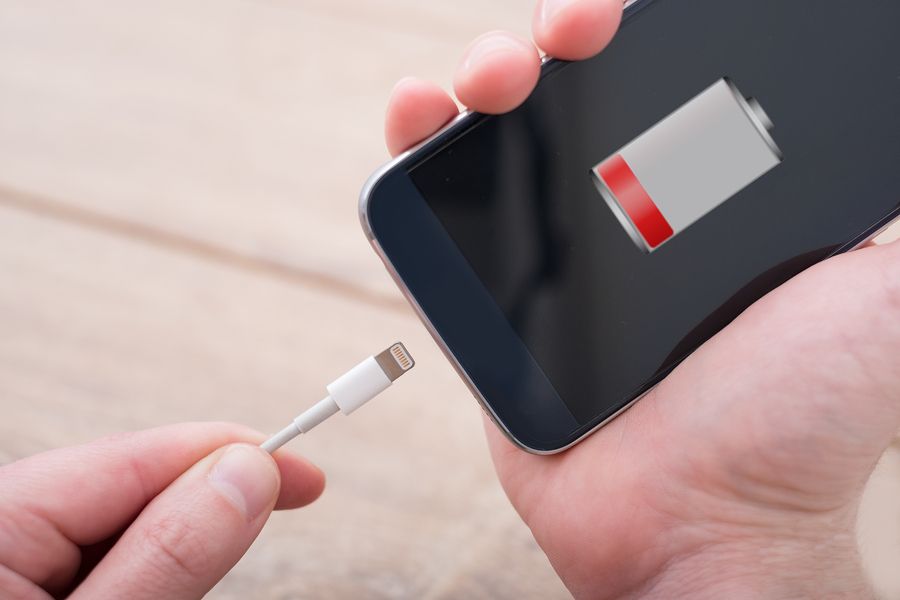
There’s something very satisfying about a fully charged phone. As you unplug your smartphone and spot the 100% battery icon, the possibilities feel infinite. Unfortunately, reality comes crashing in a few hours later when your battery life is plunging into the 20% red zone—usually when you need your phone the most. The panic sets in as you start searching for an outlet for your charger or bring out the battery pack.

Why (oh why!) does this happen? We did a little bit of digging to find out. Here are five reasons why your battery power is draining so quickly—and how you can extend the life of a single charge.

Check Those Apps

A lot of popular apps are a huge drain on your battery, particularly those that feature a lot of graphics or video. If you’re not going to be near an outlet to charge your phone, it’s best to avoid playing Fortnight or Candy Crush. As tempting as a quick game session might be, save the battery-draining games and apps for when you get home.

To Close or Not to Close?

There seems to be two schools of thought: do you close an app or just minimize them to save your battery? Double-clicking on an app and fully closing it is what many of us are told to do, since having them running in the background is a drain on the battery. On the other hand, it takes more power to re-open your app each time. With apps you use frequently, we suggest minimizing them until you shut your phone down for the night—for the apps you only use once in a while, shut them down fully after each use.

Turn Down the Brightness

One of the biggest drains on your battery is that megawatt screen of yours. As handy as it is to read emails or texts on a brighter screen, once your smartphone battery gets low, try turning the brightness way, way down to conserve power. Most phones also have an auto-brightness feature that adapts the phone’s lighting to your environment. You will need to manually turn this on in your settings to engage the feature.

London Drugs How To Stop Draining Your Battery Power

Fetch, Don’t Push

It’s tempting to set your smartphone to fetch your email every 5 minutes, but each time it’s searching for new mail, it’s also draining power. Try turning off the ‘fetch’ feature and check your email manually every now and then. Also, try turning off ‘push notifications’ for apps like Facebook, Instagram, and Twitter—especially if you receive a lot of notifications. Those constant banners popping up on your screen? They are slowly killing your battery.

Be Travel Smart

When travelling, put your device on Airplane mode and disable your Location Services to avoid losing battery while in transit. Both of these steps will save your phone’s battery life! Using Wi-Fi might save you money on your data plan, but when your phone is constantly seeking out Wi-Fi it uses power. Turn off the Wi-Fi feature when out and about, until you know you are at a spot where you can connect again.

Accessorize

If you live life on the go and can’t always be near an outlet, there are accessories to juice up your phone’s battery when you need it most. Try a phone case with a built in battery, so you don’t even need to think about charging your iPhone. A great option is the Logiix Piston Power Go Battery Case for iPhone. Another popular option is to keep a portable charger handy—there are many affordable options in a range of styles and sizes.


For a complete list of phone accessories, visit the London Drugs website or come in to one of our locations and talk to our mobile phone experts for the best advice on keeping you connected on the go.

E3 2018 Adventures in Gaming: Day 3

Day 3 in Full Swing

The final day of E3 2018 dawned, and the industry once again gathered together to celebrate the world of gaming. We had already seen two jam-packed days of games, but even with those stuffed schedules, Day 3 promised to feature some huge titles from the biggest names in video games. As we said our goodbyes to E3 2018, we made sure the event went out with a bang…or a Smash, if you prefer.


We started by taking a visit to Sony and getting our hands on two of PlayStation’s biggest upcoming exclusives. First was Spider-Man, and the 15-minute demo allowed to us to swing across New York City as if it were our own private playground. Peter Parker’s web-slinging is exhilarating, the bustling city serving as a gorgeous backdrop for Spidey’s adventures. The combat flows freely as well, with Spider-Man switching between enemies with ease. Spider-Man will be one of the biggest hits of the year when it launches on September 7, so do not wait to get your hands on it.

Spiderman is Back

A little further out on Sony’s schedule is Days Gone, and this one is a brutal hellscape set in the backdrop of lush Oregon forests. A pandemic sees humans mutated into horrific creatures known as Freakers, who will attack survivors at the slightest sound. The E3 demo was split into two parts: a story mission highlighting stealth, and a Horde mission pitting me against 500 of the Freakers. The story mission shows just how intense the world can be—particularly the scene where a survivor is captured by a demented group called The Rippers—but the Horde mission is what really sold us. Being able to strategically set up explosives and a plan of attack before engaging the horde felt great, and I can only imagine how many other hordes will be thrown our way when Days Gone hits the PlayStation 4 on February 22, 2019.

After Sony we visited a pair of smaller publishers, each one showing off a game worth keeping an eye on. First was Rebellion Entertainment and Strange Brigade, a four-player co-op shooter set in a 1930s-era monster B-movie. The game is a fun romp with three friends, the goofy setting making sure the game doesn’t take itself too seriously, and the missions are filled with tough challenges and big-time rewards. Strange Brigade may be flying under some radars, but we bet the game will win a lot of people over when it hits on August 28.

Next we visited 505 Games to see Control, the brand new game from Alan Wake and Quantum Break developer Remedy Entertainment. Control combines the best elements of both of those games: Alan Wake’s flair for the supernatural and Quantum Break’s tight shooting, and delivers an epic tale of a woman trapped in a terrible situation. This is the type of game that will challenge the mind just as much as the reflexes, and we can’t wait to see more about it leading up to its release in 2019.

We Happy Few

After our Control appointment we spent an hour traveling the world of Compulsion GamesWe Happy Few. This is a world where the powers that be shield its citizens from its horrors, requiring everyone to take a world-changing medicine called Joy. When the effects of Joy wear off, and a citizen can see the dystopian world for what it is, they are forcibly kicked out of society and forced to survive in the wild. One particular citizen tries to unveil the truth to the public, and that’s where we come in. This is a game that will take us to some really unique places, but the story it tells will be worth every single second of discomfort we may feel in the process. Make sure you make room in your gaming schedule for We Happy Few when it launches on August 10, because once you press start it will be awfully difficult to stop playing.

Our second-to-last appointment of the day was a visit to Deep Silver and 4A Games to venture into the harsh world of Metro: Exodus. This new Metro game eschews the tight dark tunnels of its predecessors for a harsh and dangerous open world on the war-torn surface of Russia. Our demo took us to a cult-like church that doesn’t take kindly to strangers, a tower of bandits brandishing some heavy firepower, and a lake swimming with mutated monsters that we had to traverse with nothing but a small paddle boat. Danger lurks around every corner in Metro: Exodus, and we’ll be able to face it head-on when the game hits our shelves on February 22.

The final stop on our whirlwind tour of E3 2018 was Nintendo, which for some of us meant saving the best for last. The company that brought us Super Mario, The Legend of Zelda, and Metroid packed a major one-two punch at this year’s show with a pair of games for the Nintendo Switch that we suspect will be big hits this holiday season.

The first was Pokemon Let’s Go: Pikachu and Eevee, the first core Pokemon experience to appear on a Nintendo home console. A remake of 1998’s Pokemon Yellow, Let’s Go combines the simple mechanics of the mobile smash hit Pokemon Go with a grand adventure fans have enjoyed since the days of the Game Boy. The game can also come bundled with a brand new accessory called the Poke Ball Plus, a small Poke Ball controller specifically made for Pokemon Let’s Go. We used the Poke Ball Plus to play the game just as a normal controller would, and it felt comfortable and natural in our hands as we caught a few Pokemon, battled some Trainers, and explored the world. Despite being a remake, Pokemon Let’s Go will be a landmark entry in the franchise, and Trainers around the world better be ready to catch ‘em all on November 19.

Super Smash Bros.

The final game of E3 2018 was Super Smash Bros Ultimate, the largest Super Smash Bros game Nintendo has ever made. Every character from previous Smash games will be playable in this new game, as well as new faces like the Inkling from Splatoon and the space pirate Ridley from Metroid. Up to eight players can face off in a match, which can lead to absolute pandemonium and a ton of fun. Each stage hails from one chapter in Nintendo’s storied history, from classic games like Super Mario Bros 2 to new favorites like The Legend of Zelda: Breath of the Wild. Super Smash Bros has evolved from a fighting free-for-all to celebration of all things Nintendo, and this new game will be the Ultimate version of that party when it launches for Nintendo Switch on December 7.

With that smashing display, the 2018 Electronic Entertainment Expo came to an end. Gamers now know what to expect in the coming year from all of their favorite publishers, and it’s safe to say that no matter what genre of game you like, there will be something you will love. Be sure to check with London Drugs for the latest information on these games, including pre-order dates so you can guarantee you will be first to enjoy all of these much-anticipated games.

Submitted by Jason Fanelli.

« Previous Page Next Page »